Some Setup Upgrade Ideas for 2026.

"Main Rig"
Currently, I do most of my computing on a sleeper PC build I built earlier this year. I would consider it my "main rig".
Occasionally, when I'm at school, I'll use my Thinkpad X1 Carbon 6th gen running Ubuntu or my Thinkpad E14 4th gen running Windows 11.
Other than my laptops, my sleeper PC is what I use pretty much 90% of the time.
Honestly, though, I'm not super happy with how it turned out, but it was kind of because of a lack of oversight to begin with. Originally, I was going to use the MSI Pro B550m-VC, but there were a few issues with the board that I wasn't aware of. I bought the board because of the number of PCIe slots it had. The board physically has four 16x PCIe slots, but only the top slot actually has 16x lanes. The rest of them only have a meager 1x lane each, even though it's a 16x slot.
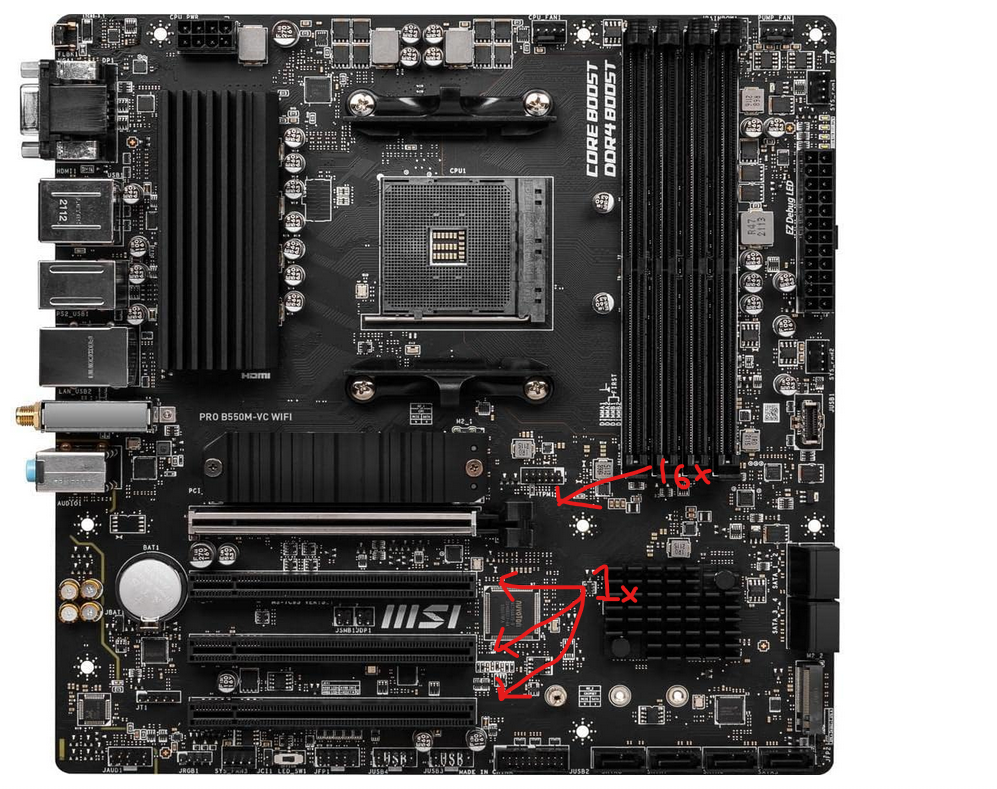
I found this out after I ordered it, and I thought, "Eh, whatever. At least it has some other features that I want; it has built-in WiFi, two NVME slots, four RAM slots, so it should be a half-decent board."
It arrives, and by the time I put together the build outside of a case to test the parts, it doesn't boot. I tried swapping to a Ryzen 2000 series CPU to see if the BIOS needs updating. Nothing. Tried a different RAM kit. Nothing. Turns out the board was straight up boof. Never got it to post even once after swapping all parts.
Even worse, I missed the Amazon return date for the board. There goes 100 bucks.
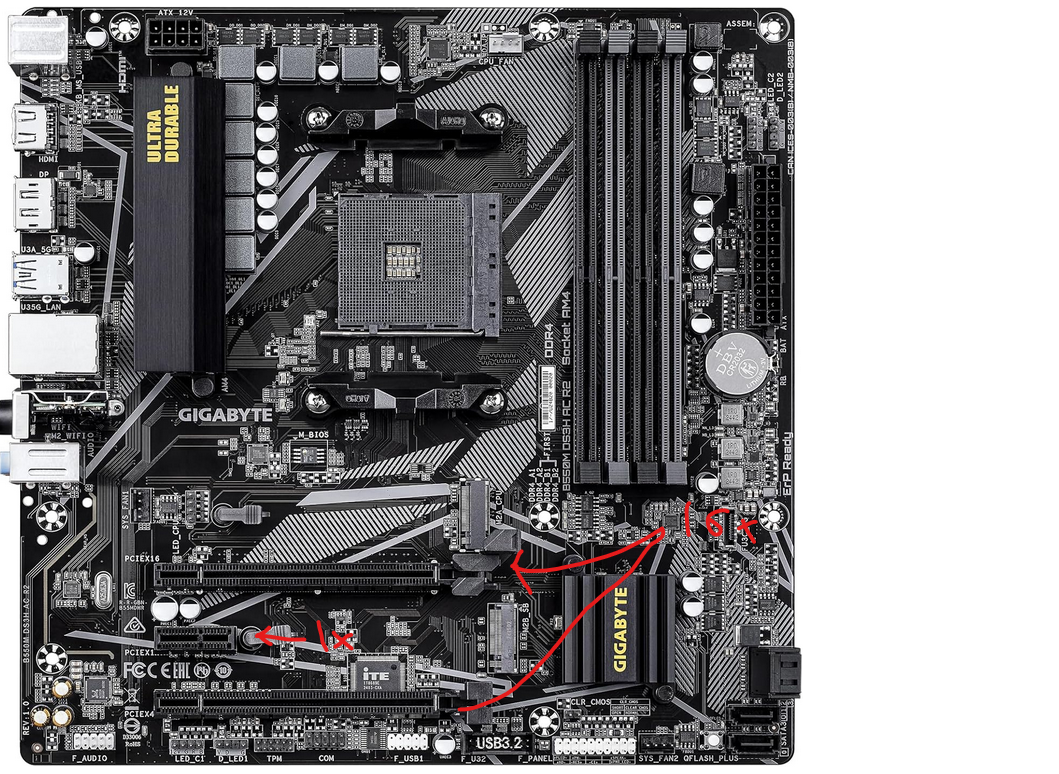
At the end of the day, I went with the Gigabyte B550M DS3H AC, which fits my needs well and actually has an extra full 16x PCIe lane as well as a 1x PCIe lane on the other slot. Gigabyte has never let me down.
I went with an RTX 2080 for my sleeper PC, which is an old card, but definitely still capable in raw performance. I scored it for 150 dollars.
Ryzen 7 5800x for a decent multitasking experience, 32 GB RAM, yada, yada, yada. It's the works.
I'm not happy with how it turned out for a few reasons.
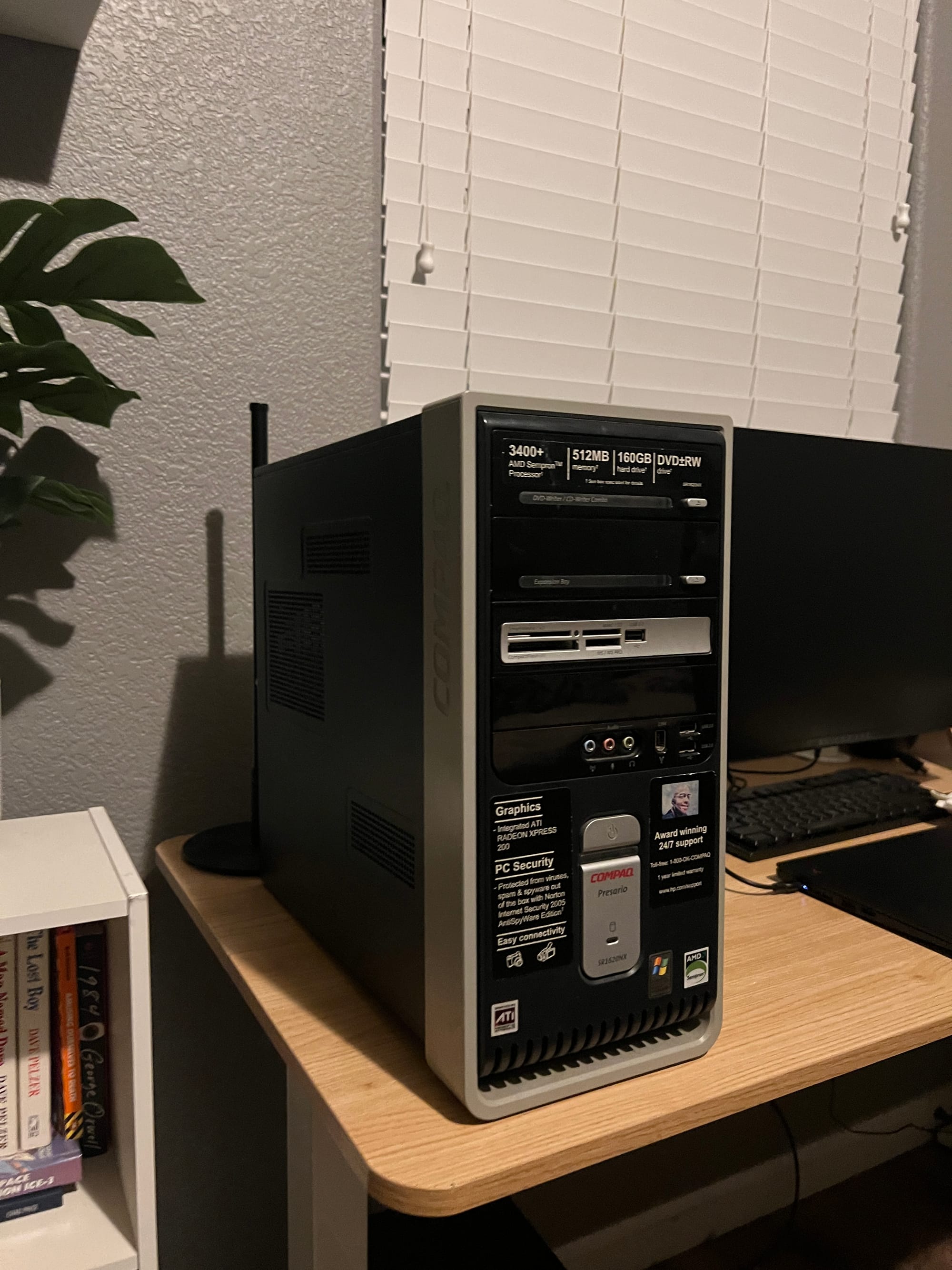
Firstly, it's a cool-looking sleeper build, don't get me wrong, but I don't like it as much as I thought I would. It's an old Compaq case from the early 2000s, and it still has the original stickers on the front. I was digging the aesthetic for a few months, but now I'm kinda bored with it. Now, I want something sleek and clean.
Second, I spent too much money on what it's used for. I spent over 600 dollars on this PC, which I use for very basic tasks. While it's nice to have the performance it has, I've maybe only utilized around 25 percent of its max computational power. It's used to browse the web and to run some virtual machines, so the GPU remains unused most of the time. And no, I don't play any video games.
Third, I used this case for its 5.25-inch bays, which can house a DVD player, but my player broke. Twice actually. I don't feel like replacing it again. It makes a deathly sounding screech every time I turn on the build, and it just doesn't work. Maybe I'm doing something wrong; this tech was definitely before my era.
T.L.D.R.
- I'm bored with the case.
- I spent too much money.
- The DVD player keeps breaking.
I'm likely going to end up case-swapping it into something nice. I might go Mini-ITX if I like the case enough.
Also, I'll likely start using Linux instead of Windows on my main rig. I might just end up jumping into Arch, or something Arch-based, because I'm already familiar with the Debian-based family of operating systems.
Goodbye apt, pacman here I come!
Peripherals
I wouldn't say I'm digging peripherals too much either, but I am being a little picky.
My Logitech G915 TKL red switches are better than most keyboards out there, but the keycap grease is kind of annoying.
I'm not super well-studied on keyboards, but from what I understand, I can just buy new keycaps made from a better quality plastic, so this issue goes away.
My Glorious Model O- (minus) mouse, on the other hand, is pretty annoying. The battery life lasts a day, if I'm lucky. With the RGB turned on the lowest setting, I still have to plug it in every day.
I'm definitely going to be swapping my mouse for a better one.
Originally, I wanted a Logitech MX master, but I foolishly decided to stick to my gaming roots and bought a mouse I was already familiar with, which I previously owned in the wired version since around 2020.
Monitor
Currently, I'm rocking a single-monitor setup. Coming from a three-monitor setup (albeit they were awful 768p monitors), this makes my desktop experience feel a little cramped.
It doesn't help that this monitor is a 32-inch Alienware 1080p 240Hz. I don't need the high refresh rate, although it feels nice.
I'd rather go with a higher resolution panel, because the pixel-density is not very good. It leaves much to be desired.
Also, while I have two monitor arms, they don't move freely, but instead, lock to one position with both arms stemming from the same base, with the height and orientation unchangeable.
I want to get free-moving monitor arms so that I can have two monitors, one on top of the other.
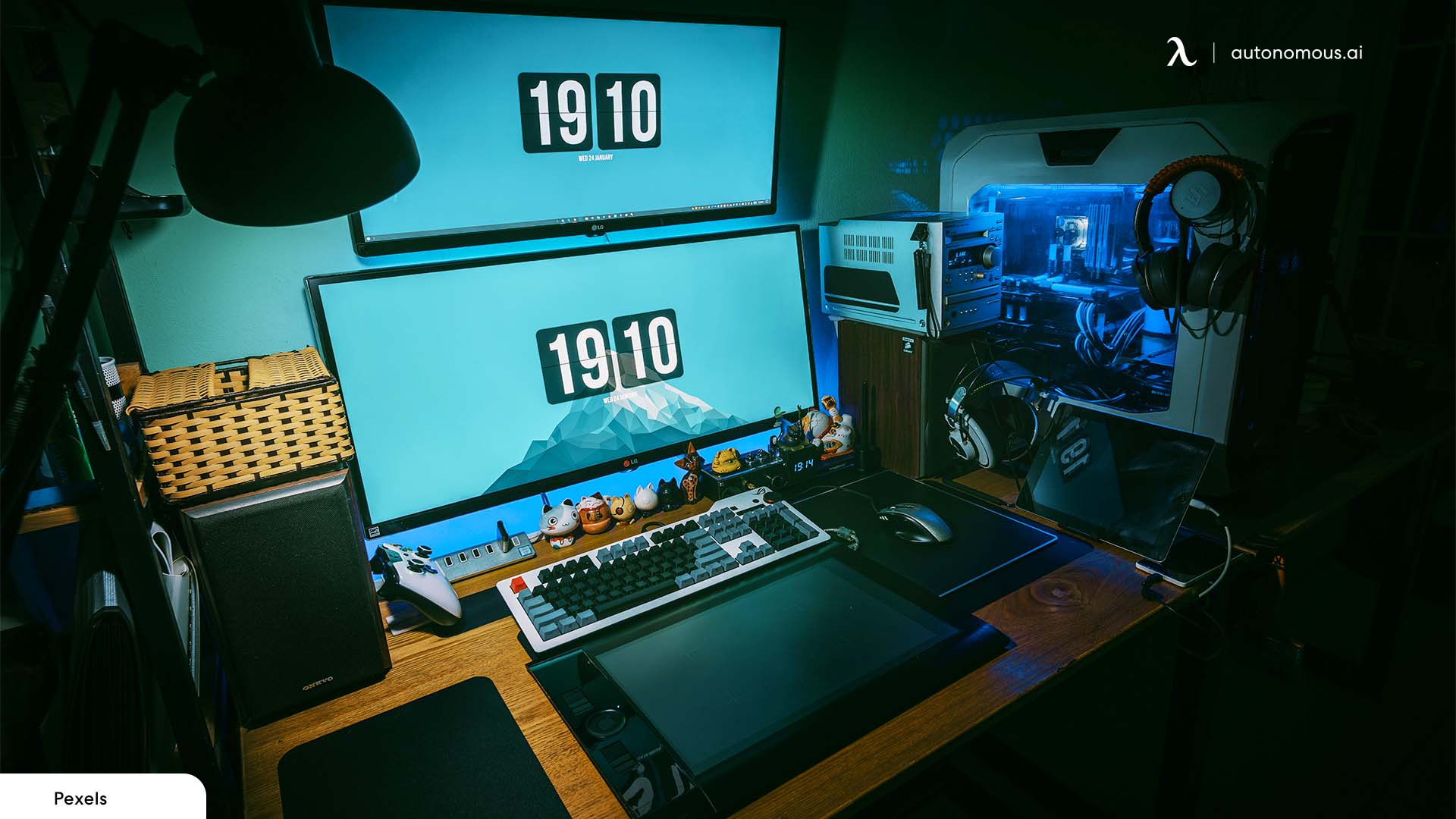
Ideally, I'll keep the 1080p 240Hz on the bottom, and attach a nice 4k 60Hz panel to the upper arm. This is so I can lean back my chair a bit and watch videos/movies in high res if I want to.
Anyhow, it's getting late, and I could go on for hours about this, but I'll save it for another post.