Monitoring Everything with Uptime Kuma (Docker, Services, Servers, and Devices)

I have just installed Uptime Kuma via Docker, and so far I'm pretty happy with it.
Uptime Kuma is a self-hosted web application for monitoring sites, devices, Docker applications, servers, and all of the above.
If your device/server has an IPv4 address, you can monitor it with Uptime Kuma. So in other words, Uptime Kuma can monitor basically anything.
Installation is pretty easy. I just copied the given Docker compose example and made sure my bind mounts are correctly configured, and boom, instant monitoring application.
Docker Compose Config:
services:
  uptime-kuma:
    image: louislam/uptime-kuma:2
    restart: unless-stopped
    volumes:
      - ./data:/app/data
    ports:
      # <Host Port>:<Container Port>
      - "3001:3001"
What I really like is that you can monitor private IP addresses, as well as your domain-forwarded services as well (if you have any).
Uptime Kuma supports many different protocols to monitor your services.
Some of my services/devices/servers, and how they are monitored:
- This blog. (Monitored with HTTPS)
- My HTTPS file-sharing site. (HTTPS)
- My Jellyfin and ARR stack. (Frontend Proxied Jellyfin site monitored with HTTPS, Docker socket for the ARR stack)
- Local SMB Share (TCP on port 445, monitoring SYN connection)
- My Proxmox servers (TCP on port 22, monitoring SYN connection because ICMP ping isn't enabled)
- My Switches (ICMP ping)
- Other Docker Instances (Either HTTP or Docker Socket passthrough to UK)
I also really like the UI; it's clean and super easy to read at a glance.
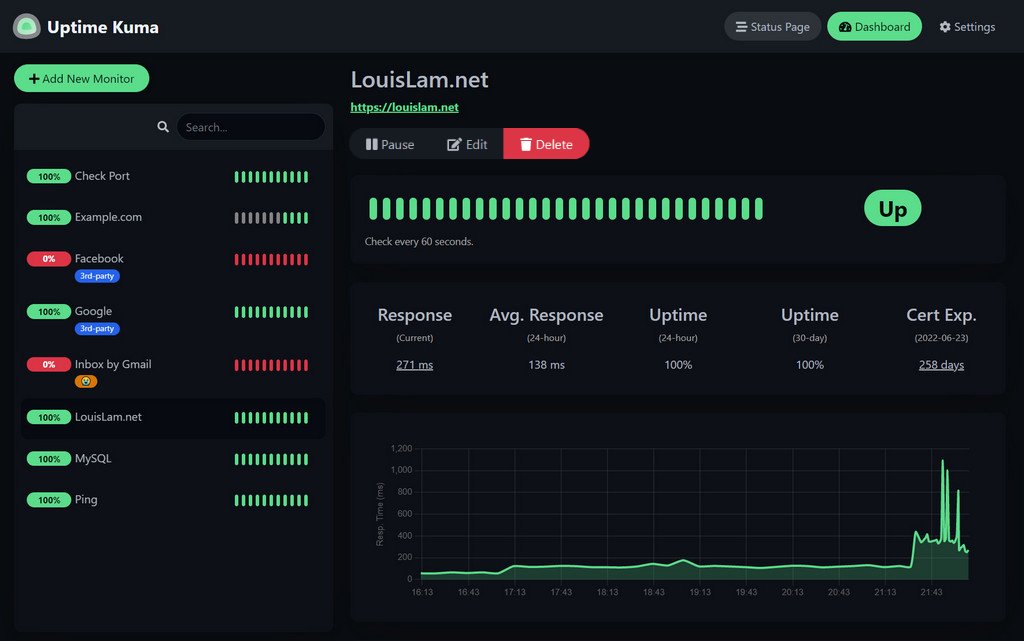
I've also gotten an app for it on my phone, called Uptime Kuma Manager, and it's been working rock-solid as well.
Honestly, I don't know why I haven't had any monitoring service running this whole time.